Chapter 1
An Overview of Red Hat
Linux
In This Chapter
Introducing Red Hat Linux
What is Linux?
Linuxs roots in
UNIX
Common Linux features
Primary advantages of Linux
What is Red Hat Linux?
Why choose Red Hat Linux?
The culture of free software
Linux was a phenomenon waiting to happen. The computer
industry suffered from a rift. In the 1 980s and I 990s, people had to choose
between inexpensive, market-driven PC operating systems from Microsoft and
expensive, technology-driven operating systems such as UNIX. Free software was
being created all over the world, but lacked a common platform to rally around.
Linux has become that common platfonn.
Red Hat Linux is the most popular commercial
distribution of Linux. Red Hat and other commercial distributions, such as
Calderas OperiLinux, have taken the Linux concept a
step further. With Red Hat Linux, users no longer have to download, compile,
and check Linux source code to make sure that all the right pieces are put
together for Linux to work. Basically, Red Hat has made it possible for Linux
to be used by people other than computer geeks.
Red Hat Linux has also made Linux a more viable
alternative for corporate users. Many companies have felt insecure about
relying on a free operating system to handle their critical data. With Red Hat
Linux, they can rely on Red Hat Software, Inc. (www. redhat . corn) to provide
tested versions of that software and technical support if there are problems.
Introducing Red Hat Linux
Red Hat Linux 8 represents a bold new
direction for the most popular commercial Linux distribution. While continuing
to add powerful, professional server features, Red Hat Inc. has made a major
move on the desktop as well. Highlights of desktop enhancements in Red Hat 8
include:
Providing a.more common Red Hat look and feel across the KDE and
GNOME desktops that come with the distribution.
Adding and
enhancing home-grown Red Hat graphical administrative tools, to simplify
administrative tasks.
With Red Hat Linux 8, whether you use
KDE or GNOME as your desktop environment, you can expect to see many of the
same icons and menus to help standardize how you use your Red Hat Linux system.
Tools you can launch from those environments help you configure your network,
set up servers, watch log files, and manage system services.
Nearly 1,500 individual software
packages (compared to just over 600 in Red Hat Linux 6.2) are included in this
latest release. These packages contain features that would cost you hundreds or
thousands of dollars to duplicate if you bought them as separate commercial
products. These features let you:
Connect your
computers to a LAN or the Internet.
Create
documents and publish your work on paper or on the Web.
Work with
multimedia content to manipulate images, play MPEG music files, view video, and
even bum your own CDs.
Play games
individually or over a network.
Communicate
over the Internet using a variety of Web tools for browsing, chatting,
transferring files, participating in newsgroups, and sending and receiving
e-mail.
Configure a
computer to act as a network server, such as a print server, Web server, file
server, mail server, news server, and a database server.
This is just a partial list of what you
can do with Red Hat Linux. Using this book as your
guide, you will find that there are many more features
built into Red Hat Linux as well.
Support for new video cards, printers,
storage devices, and applications are being added every day. Linux programmers
around the world are no longer the only ones creating hardware drivers. Every day
more hardware vendors are creating their own drivers, so they can sell products
to the growing Linux market. New applications are being created to cover
everything from personal productivity tools to programs that access massive
corporate databases.
Remember that old Pentium computer in
your closet? Dont throw it away! Just because a new release of Red Hat Linux
is out doesnt mean that you need all new hardware for it to run.
Support for many old computer
components get carried from one release to the next. There are old PCs running
Red Hat Linux today as routers (to route data between your LAN and the
Internet), firewalls (to protect your network from outside intrusion), and file
servers (to store shared files on your LAN) with maybe an
Ethernet card or an extra hard disk added.
At this point, you may feel that Linux
is something you want to try out. This brings us to the basic question: What is
Linux?
What Is Linux?
Linux is a free operating system that
was created by Linus Torvalds
when he was a student at the University of Helsinki in 1991. Torvalds started Linux by writing a kernel the
heart of the operating system partly from scratch and partly
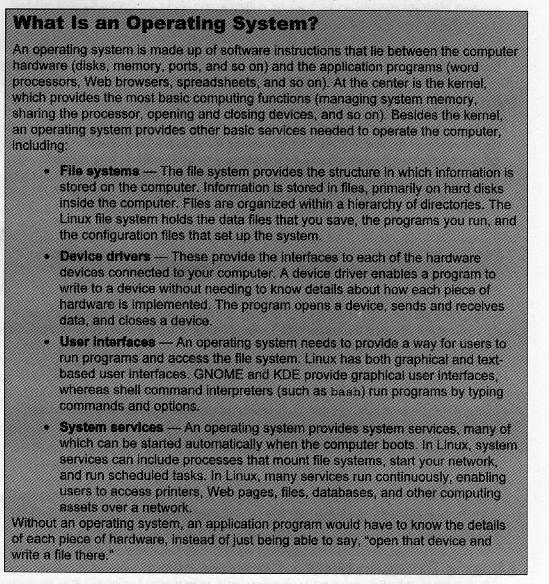
by using publicly available software. (For the definition of an operating
system and a kernel, see the sidebar What Is an Operating System? later in
this chapter.) Torvalds then released the system to
his friends and to a community of hackers on the Internet and asked them to
work with it and enhance it. It took off.
CROSS-REFERENCE: See Chapter 14 for a discussion
about the difference between hackers (people who just like to play with
computers) and crackers (people who break into computer systems and cause
damage).
Today, there are hundreds of software
developers around the world contributing software to the Linux effort. Because
the source code for the software is freely available, anyone can work on it,
change it, or enhance it. On top of the Linux kernel effort, the creators of
Linux also drew on a great deal of system software and applications that are
now bundled with Linux from the GNU software effort (GNU stands for GNU is Not
UNIX), which is directed by the Free Software Foundation (FSF). There is a
vast amount of software that can be used with Linux, all of which includes
features that can compete with or surpass those of any other operating system
in the world.
If you have heard Linux described as a
free version of UNIX, there is good reason for it. Although much of the code
for Linux started from scratch, the blueprint for what the code would do was
created to follow POSIX standards. POSIX (Portable Operating System Interface
for UNIX) is a computer industry operating system standard that every major
version of UNIX complied with. In other words, if your operating system was
POSIX-compliant, it was UNIX. See the next section describing Linuxs roots in the UNIX operating system.
Linuxs Roots in UNIX
Linux grew within a culture of free
exchange of ideas and software. Like UNIX the operating system
on which Linux is based
the focus was on keeping communications
open among software developers. Getting the code to work was the goal, without
much concern
about who owned the code, and the Internet was the primary
communications medium. What, then, were the conditions that made the world ripe
for a computer system such as Linux?
In the l980s and 1990s, while Microsoft flooded the world with
personal computers running DOS and Windows operating systems, power users
demanded more from an operating system. They ached for systems that could run
on networks, support many users at once (multiuser),and run many programs at once (multitasking). DOS (Disk
Operating System) and Windows
didnt
cut it.
UNIX, on the other hand, grew out of a
culture where technology was king and marketing people were, well, hard to
find. Bell Laboratories in Murray Hill, New Jersey, was a think tank where
ideas came first and profits were somebody elses problem. A quote from Dennis
Ritchie, co-creator of UNIX and designer of the C programming language, in a
1980 lecture on the evolution of UNIX, sums up the spirit that started UNIX. He
was commenting on both his hopes and those of his colleagues for the UNIX
project after a similar project called Multics had
just failed:
we wanted to preserve was notjust
a good en vironment in which to do programming, but a
system around which afeiowsh~p couldfo~m.
We knew from experience that the essence ofcommunal
computing as supplied by remote-access, time-shared machines,
is not just to type programs into a terminal instead ofa
keypunch, but to encourage close communication.
In that spirit, the first source code
of UNIX was distributed free to universities. Like Linux, the availability of
UNIX source code made it possible for a diverse population of software
developers to make their own enhancements to UNIX and share them with others.
By the early l980s, UNIX development
moved from the organization in Murray Hill to a more commercially oriented
development laboratory in Summit, New Jersey (a few miles down the road).
During that time, UNIX began to fmd commercial
success as the computing system of choice for applications such as AT&Ts
telephone switching equipment, for supercomputer applications such as modeling
weather patterns, and for controlling NASA space projects.
Major computer hardware vendors
licensed the UNIX source code to run on their computers. To try to create an
environment of fairness and community to its OEMs (original equipment
manufacturers), AT&T began standardizing what these different ports of UNIX
had to be able to do to still be called UNIX. To that end, compliance with
POSIX standards and the AT&T UNIX System V Interface Definition (SVID) were
specifications UNIX vendors could use to create compliant UNIX systems. Those
same documents also served as road maps for the creation of Linux.
Common Linux Features
No matter what version of Linux you
use, the piece of code common to all is the Linux kernel. Although the kernel
can be modified to include support for the features you want, every Linux
kernel can offer the following features:
Multiuser Not only can you have many user accounts available on a
Linux system, you can also have multiple users logged in and working on the
system at the same time. Users can have their own environments arranged the way
they want: their own home directory for storing files and their own desktop
interface (with icons, menus, and
applications arranged to suit them). User accounts can be
password-protected, so that users can control who has access to their
applications and data.
Multitasking
In Linux, it is possible to have many programs running
at the same time, which means that not only can you have many programs going at
once, but that the Linux operating system can itself have programs running in
the background. Many of these system processes make it possible for Linux to
work as a server, with these background processes listening to the network for
requests to log in to your system, view a Web page, print a document, or copy a
file. These background processes are referred to as daemons.
Graphical User Interface
(X Window System) The powerful framework for working with graphical
applications in Linux is referred to as the X Window System (or simply X). X
handles the functions of opening X-based graphical user interface (GUI)
applications and displaying them on an X server process (the process that
manages your screen, mouse, and keyboard).
On top of X, you use an X-based desktop
environment to provide a desktop metaphor and window manager to provide the
look-and-feel of your GUI (icons, window frames, menus, and colors, or a
combination of those items called themes). There are several desktop
environments and several desktop managers to choose from. (Red Hat provides a
few desktop managers, but focuses on GNOME and KDE desktop environments.)
Rardware support You can configure support for almost every type of hardware
that can be connected to a computer. There is support for floppy disk drives,
CD-ROMs, removable disks (such as DVDs and Zip drives), sound cards, tape
devices, video cards, and most anything else you can think of.
IOTE: Not every hardware manufacturer
provides Linux drivers with their peripheral devices and adapter ards. Although most popular hardware will be
supported eventually in Linux, it can some~mes take a
while DI 8 member of the Linux community to
write a driver.
Networking
connectivity To connect your Linux system to a network, Linux offers
support for a variety of Local Area Network (LAN) boards, modems, and serial
devices. In addition to LAN protocols, such as Ethernet (both wired and
wireless) and Token Ring protocols, all the most popular upper-level networking
protocols can be built-in. The most popular of these protocols is TCP/IP (used
to connect to the Internet). Other protocols, such as IPX
(for Novell networks) and X.25 (a packet-switching network type that is popular
in Europe), are also available.
Network
servers Providing networking services to the client computers on the
LAN or to the entire Internet is what Linux does best. A variety of software
packages are available that enable you to use Linux as a print server, file server,
FTP server, mail server, Web server, news server, or workgroup (DHCP or NIS)
server.
Application
support Because of compatibility with POSIX and several
different application programming interfaces (APIs), a wide range of freeware
and shareware
software is available for Linux. Most GNU software from the
Free Software Foundation will run in Linux.
NOTE: Because of the popularIty of the Red Hat Package
Management (RPM) format for packaging software, many software packages
are available on the
Internet in RPM format. If the RPM version matches your
processor type you can install the package without building and compiling the package See Chapter 5 for information on working with RPM packages.
Primary Advantages of Linux
When compared to different commercially
available operating systems, Linuxs best assets are
its price and its reliability. Most people know that its initial price is free
(or at least under $100 when it comes in a box or with a book). However, when
people talk about Linuxs affordability, they are
usually thinking of its total cost, which includes the capability of using
inexpensive hardware and compatible free add-on applications. Although
commercial operating systems tend to encourage upgrading to later hardware,
Linux doesnt (although faster hardware and larger disks are nice to have).
In terms of reliability, the general
consensus is that Linux is comparable to many commercial UNIX systems but more
reliable than most desktop-oriented operating systems. This is especially true
if you rely on your computer system to stay up because it is a Web server or a
file server. (You dont have to reboot every time you change something.)
Another advantage of using Linux is
that help is always available on the Internet. There is probably someone out
there in a Linux newsgroup who is willing to help you
get around your problem. Because the source code is available, if you need
something fixed you can even patch the code yourself! On the other hand, Ive
seen commercial operating system vendors sit on reported problems for months
without fixing them. Remember that the culture of Linux is one that thrives on
people helping other people.
NOTE: If you have general questions about Red Hat Linux, try
the linux. redhat . misc newsgroup. For
specific questions about networking or hardware, try the following newsgroups:
comp. os.
linux .networking and comp . os. ].inux.hardware, respectively.
What Is Red Hat Linux?
Having directories of software packages
floating extraneously around the Internet was not a bad way for hackers to
share software. However, for Linux to be acceptable to a less technical
population of computer users, it needed to be simple to install and use. Likewise,
businesses that were thinking about committing their mission-critical
applications to a computer system would want to know that this system had been
carefully tested.
To those ends, several companies and
organizations began gathering and packaging Linux software together into usable
forms called dictributions. The main
goal of a Linux distribution
is to make the hundreds of unrelated software packages
that make up Linux work together as a cohesive whole. The most popular
distribution is Red Hat Linux.
Red Hat Linux is a commercial product
produced by Red Hat Software, Inc. You can walk into a store and buy a boxed
set of CDs and manuals. Or you can get Red Hat Linux free by downloading it
over the Internet or by installing it from CDs that come with books such as
this one. The boxed set provides technical support on installation and an extra
CD that contains limited and demo versions of commercially available Linux
application packages (such as word processors and database applications). Check
the Red Hat Web site (www. redhat . corn) for
details on what is included with Red Hat products.
Why Choose Red Hat Linux?
To distinguish themselves from other
versions of Linux, each distribution adds some extra features. Because many
power features included in most Linux distributions come from established open
source projects (such as Apache, Samba, KDE, and so on), often enhancements for
a particular distribution exist to make it easier to install, configure, and
use Linux. Also, because there are different software packages available to do
the same jobs (such as window managers or a particular server type), a
distribution can distinguish itself by which packages
it chooses to include and feature.
Choosing Red Hat Linux as your
distribution puts you in good company. Computer companies such as IBM offer Red
Hat Linux on their high-end server hardware. High-profile customers such as
Amazon.com rely on Red Hat Linux as the primary operating system to support
their business. This is the same operating system that you and thousands of
others like you can use to run a small business or manage a home network or
personal Web server.
Red Hat Linux has set itself apart from
other Linux distributions with these features:
Software
packaging Red Hat Software,
Inc. created the Red Hat Package Management (RPM) method of packaging Linux. RPMs allow less technically savvy users to easily install
Linux software. With RPM tools, you can install from CD, hard disk, over your
LAN, or over the Internet. Its easy to track which packages are installed or
to look at the contents of a package. Because RPM is available to the Linux
community, it has become one of the de facto standards for packaging Linux software.
CROSS-REFERENCE: Chapter 5 describes how to install
RPM packages.
Easy
Installation The Red Hat Linux installation process provides easy
steps for installing Linux. During installation, Red Hat also helps you take
the first few steps toward configuring Linux. You can choose which packages to
install and how to partition your hard disk. You can even get your desktop GUT
ready to go by configuring your video card, user accounts, and even your
network.
I CROSS-REFERENCE: Chapter 2 covers Red Hat Unux
Installation,
UNIX System Vstyle run-level scripts To have your system services (daemon processes) start up and shut down in an organized way, Red Hat Linux
uses the UNIX System V mechanism for starting and stopping services. Shell
scripts (that are easy to read and change) are contained in subdirectories of
/etc. When the run level changes, such as when the system boots up or you
change to single-user mode, messages tell you whether each service started
correctly or failed to execute properly (a very nice feature!). Chapter 12
describes how to use run-level scripts.
Desktop
environments (GNOME and KDE) To make it easier to use Linux, Red Hat Linux comes packaged with GNOME and KDE desktop
environments. GNOME is installed by default and offers some nice
features that include drag-and-drop protocols and windows that operate like
window shades. KDE is another popular desktop manager that includes a wide
range of tools tailored for the KDE environment, such as the KDE Control Center
for configuring the desktop and the KOrganizer for
managing appointments.
GUI
Administration tools There are some helpful configuration tools for setting up
some of the trickier tasks in Linux. Several different GUT tools provide a
graphical,
form-driven interface for configuring networking, users, file
systems, and initialization
Les services. Instead of creating obtuse command lines or having to create tricky
configuration files, these graphical tools can set up those files automatically.
r NOTE: There
are advantages and disadvantages of using a GUI-based program
to manipulate text-based configuration flies. GUI-based
configuration tools can lead you through a setup procedure and error-check the information you enter However,
some features cant be accessed through the GUI, and if something goes wrong it can be tnckier to debug Also by adding propnetary interfaces
to standard features, different Linux versions
start to diverge.
Testing The exact
configuration that you get on a Red Hat Linux distribution has been thoroughly
tested by experts around the world. The simple fact that a software
Led package
is included in the Red Hat Linux distribution is an indication that it has
achieved a certain level of quality.
Automatic
updates The software packages that make up Red Hat Linux are
constantly being enhanced and fixed in various ways. To provide a mechanism for
the automatic selection, download, and installation of updated software
packages, Red Hat created the Red Hat Network. Using the Red Hat Network Web
site or the up2date command, you can receive critical security fixes and new
features very simply over the Internet.
New Features in Red Hat Linux 8
Although Red Hat
continues to build strength and stability into its Linux distribution, Red
Hat Linux 8 is strikingly different from earlier versions on its surface. Red
Hat is betting that
future Linux
administrators will prefer GUI windows over commands and text editors. And Red
Hat is hoping that offering similar menus and icons will simplif~
Red Hat Linux for users.
As for major internal changes, Red Hat
Linux 8 is built using the GNU C Compiler (gcc)
release 3.2. This is a major upgrade from the gcc
2.96 used in Red Hat Linux 7.3. Although gcc release
3.0 has been available since June 2001, it has been considered unstable until
the recent 3.2 release. The compiler is the software that turns the source
code (instructions that programmers write) into binary code (executable
commands that a computers processor runs).
As for changes to packaging, Red Hat
Linux 8 is as interesting for what it left out as it is for what it put in. For
example:
Netscape
Navigator has been dropped, leaving its open-source brother, Mozilla, as the primary Web browser.
New
administrative windows that configure X and install RPM packages have replaced Xconfigurator and gnorpm
packages, respectively.
Because of
licensing issues related to MP3 audio and video formats, packages that included
MP3 decoding have been dropped. These include mpg32 1 (audio player), libmad (MPEG audio decoder), smpeg
(MPEG audio/video player), and xine (audio/video
player).
See Appendix B for information on other
packages no longer included in Red Hat Linux.
The following paragraphs describe many
of the major features that are in Red Hat Linux 8.
Red Hat config
tools
Red Hat has added to their growing
arsenal of graphical administrative tools. Since dropping the linuxconf and bypassing the Webmin
graphical administrative interfaces, Red Hat has been steadily developing and
adding its own administrative tools to its distribution. As a result, a systems
administration can often skip running shell commands and editing plain-text configuration
files to set up servers, manage system resources, or add users.
The following is a list of Red Hat GUI
packages and what each is used to configure:
redhat-config-blnd: Domain Name System server.
redhat-config-date:
System time and date.
redhat-config-bttpd:
Apache Web server.
redhat-config-language:
Languages for Red Hat Linux.
redhat-config-keyboard:
Keyboard selection.
redhat-config-klckstart: Kickstart files for unattended Red Hat Linux installations.
redhat-config-mouse:
A mouse.
redhat-config-network:
Network interfaces.
redhat-conflg-nfs:
Network File System shared
directories.
redhat-config-packages: Red Hat Linux software.
redhat-config-printer: Printers (Non-GUI)
redhat-config-prlnter-gul: Printers (GUI).
redhat-config-proc:
Kernel tunable parameters.
redhat-config-rootpassword: Change your root password.
redhat-conflg-securltylevel: Iptables firewalls.
redhat-config-services: System services. redhat-conflg-soundcard: Sound
card.
redhat-contig-users: User accounts.
redbat-conflg-xfree86: X display and monitor.
You can launch the tools associated with the previous
packages either from the main Red Hat menu or from a Terminal window. In most
cases, the name of the command you run to launch the window is the same name as
the package it comes in.
Red
Hat desktop interlaces
KDE and GNOME are desktop environments that provide a
framework for running and developing graphical applications and offer a full
range of preferences to allow users to tailor the exact desktop look and feel.
In Red Hat Linux 8, Red Hat seems to have taken them at their word by offering
KDE and GNOME desktops in the distribution that have a default Red Hat look
and feel that might have some KDE and GNOME die-hards wondering where their old
desktops went.
Whether you select KDE or GNOME as your desktop
environment, expect to see most of the same menus and icons after you log into
Red Hat Linux 8. Under the surface, however, are powerful sets of tools that
let you put together your desktop however you like.
The versions of KDE and GNOME that come with Red Hat
Linux 8 are KDE 3.0 and GNOME 2.0. Both represent major releases of maturing
desktop environments.
KDE3.O
Besides including a full set of configuration tools
and software development interfaces, KDE continues to include a large set of
user applications (most of which begin with k). Recently, KDE added an office
suite (called koffice) and continues to offer a
strong group of multimedia sound and video applications. New KDE packages added
since Red Hat Linux 7.3 include the following education-oriented packages:
keduca:
Tools for taking tests and exams.
kgeo:
An interactive KDE geometry package.
klettres: A French alphabet tutor.
kmessedwords: A letter order game.
kstars: A desktop planetarium.
ktouch: A touch typing tutor.
kvoctraln: A vocabulary trainer.
Also featured in KDE 3.0 is new
printing environment (KDEPrint), internationalization
(50
languages are supported), and powerful enhancements to Konqueror. Konqueror is the KDE
Web browser, file
manager, and document viewer. See Chapter 4 for a description of
Konqueror features, as well as other tools available in KDE
3.0.
GNOME 2,0
With version 2.0, GNOME continues to
offer a solid application programming framework and improved ease-of-use
features. Accessibility features added to GNOME 2.0 include Gnopemicus
(screen reader and magnifier for the visually impaired) and GNOME Onscreen
Keyboard (keyboard assistant for those who have difficulties with a standard
keyboard and mouse). New features in GNOME 2.0 include:
Performance
Improvements Implementation improvements
help the GNOME desktop perform faster
than previous versions, even on older computers.
Ease-of-use
features Panels and menus are more flexible, dialog boxes
remember file names and allow filename completion, and the search tool offers
more search rules to use. Instead of simply adding more applications, GNOME has
tried to make the most important features easier to access.
Expanded Nautilus file manager features New Nautilus
features let you do such things as open shared files and printers from Windows
systems (SMB), store and run
your own scripts, and change a variety of preferences.
I CROSS-REFERENCE: See Chapter 4 for a description of
Apache 2.0
Dont go looking for apache packages
anymore, because they wont be there. For Apache 2.0, the name of Apache
packages changed from apache to httpd (to reflect the
name of the Apache server daemon). Once you have found the package, however,
you will find the Apache Web server software you have always known and loved, with
some improved features:
Choosing
ports and interfaces A new Listen directive replaces BindAddress
and Port directives. Now you can now more easily which ports Apache listens to
for which
Web addresses configured on your system.
Improved Dynamic Shared Objects DSO support
has changed to allow you to simply add LoadModule
lines to include the modules you need. You also dont have to
worry about the order of module loading, since Apache makes
sure that everything is loaded in the correct order. Names and features of many
modules have changed significantly since the previous Apache release.
Indexing Options
that affect how directories of Web content are sorted and displayed on your
Apache Web server have changed significantly. The Fancylndexing
directive is gone but can be used as an option to the IndexOptions
directive. A new VersionSort option to IndexOptions helps you sort software package names in ways
that more appropriately show the order of package versions than they do with
default sorting.
If you are migrating
your computer from an Apache 1.3 system, I strongly recommend you refer to the
Apache Migration HOWTO. If the Apache (httpd) package
is installed, you will find
this HOWTO here: /usr/share/doc/httpd*/migration.html.
Installation
A new flrstboot
feature was added to Red Hat Linux 8. The first time you reboot Red Hat Linux 8
after you install it, the Red Hat Setup Agent appears. This agent steps you
through the initial configuration of date and time, the Red Hat update agent,
and additional software CD installations.
I CROSS-REFERENCE: Red Hat Linux
installation is described in Chapter 2.
Additional software packages
Red Hat Linux cant go from 600 to
nearly 1,500 software packages in a few years time without having lots of new
features spread across the operating system. Along with packages already
mentioned in this section, the following bullet list should give you an idea of
some of the new software packages for Red Hat Linux 8:
dat-spi Adds
accessibility features in GNOME.
eog Eye of GNOME
image viewer.
fontconflg X font configuration tools.
httpd, httpd-manual
Renamed Apache Web server packages.
lpxutils: Utilities for configuring and working with Novell IPX
networks.
mdadm Tools
to manage software RAID devices.
metacity
New default window manager
for GNOME.
oprofile System
profiling software.
privoxy Web
privacy proxy server.
qmkbootdlsk Tool
to create a boot disk from the GUI.
rdesktop Used
to display a remote NT desktop.
There are other new packages in Red Hat
Linux 8 as well. For a more complete list, see Appendix B.
Red Hat Linux 8 Bible Improvements
While a significant amount of effort
goes into adding new release features (such as Apache and new Red Hat config tools) to this book, some additions to this edition
of the Red Hat Linux Bible were not tied to new features. They were just
part of
the continuing development of this book. The following sections are new to this
edition of the book:
KDE and GNOME Procedures I reworked
Chapter 4, not only to include new KDE and GNOME desktop features but to focus
on some of the neat new features for using and configuring your desktop. For
example, I describe how to create image galleries using Konqueror
and how to use Nautilus to display Windows shared files and printers.
Configuring
Install Servers I improved the part
on creating install servers (Chapter 2)
to include how to copy and set up disk images for NFS and hard disk installs.
Finding Windows-Equivalent Applications In
Chapter 5,1 have started a list of Windows applications that you may be
relying on today and named applications that run in Red Hat Linux that you can use
to replace those applications. (I expect to continue expanding the list in future editions.)
Using 5511 to
run remote X applications As a more secure and, in fact, simpler way of running remote X
applications so they appear on your local screen, I have added this
short procedure to Chapter 5.
Getting Mall from the
Server (POP) I added a simple, but important, procedure to Chapter
19 for running a Post Office Protocol server. The section tells how to start up
the POP server so users of your mail server can download
mail to their desktop systems.
Configuring a
VPN I added a
section on how to configure Crypto IP Encapsulation (CIPE) to create a virtual
private network connection.
Besides these new sections, procedures
throughout the book have been tested and corrected to match changes that have
occurred within existing Red Hat Linux software.
The Culture of Free Software
I would be remiss to not say something
about the culture of free software development from which Linux has thrived and
will continue to thrive. The copyright for Red Hat Linux is covered under the
GNU public license. That license, which most free software fails under,
provides the following:
Author rights
The original author retains the rights to his or her
software.
Free
distribution People can use the GNU software in their own software,
changing and redistributing it as they please. They do, however, have to include
the source code with their distribution (or make it easily available).
Copyright maintained Even if you were to repackage and resell
the software, the original GNU agreement must be maintained with the software.
This means that all future recipients of the software must have the opportunity
to change the source code, just as you did.
It is important to remember that there
is no warranty on GNU software. If something goes wrong, the original developer
of the software has no obligation to fix the problem. However, the Linux
culture has provided resources for that event. Experts on the Internet can help
you iron out your problems, or you can access one of the many Linux newsgroups
to read how others have dealt with their problems and to post your own
questions about how to fix yours. Chances are that someone will know what to do
maybe even going so far as to provide the software or configuration
file you need.
NOTE: The GNU project uses the term free
softwaieto describe the software that is covered by the GNU license. On occasion,
you may see the term open-source sof/ware being used to describe software.
Though source code availability is part of the GNU license, the GNU project
claims that software defined as open source is not the same as free software
because it can encompass semi-free programs and even some ~roonetarv
oroarams. ~ee
www. onensource
- ora br a aescriDtion of ooen-source software.
Summary
Linux is a free computer operating
system that was created by Linus Torvalds
in 1991 and that has grown from contributions from software developers all over
the world. Red Hat Linux is a distribution of Linux that packages together the
software needed to run Linux and makes it easier to install and run.
Features in Red Hat Linux include a
simplified installation procedure, Red Hat Package Management (RPM) tools for
managing the software, and easy-to-use GNOME and KDE desktop environments. You
can get Red Hat Linux from the Internet, from distributions that come with
books such as this one, or from a commercially available boxed set of Red Hat
Linux software.
Linux is based on a culture of free
exchange of software. Linuxs roots are based in the
UNIX operating system. UNIX provided most of the framework that was used to
create Linux. That framework came in the form of the POSIX standard, which
defined the interfaces a UNIX system needs to support in order to be a TJNTX
system.